


 Tech Tech News Govt wanted action from Apple over October’s iPhone security alert: Report
 Govt wanted action from Apple over October’s iPhone security alert: Report
Officials wanted action from Apple, demanding the tech giant soften the impact of the alerts warning of state-sponsored attackers trying to compromise iPhones.







 View all Images
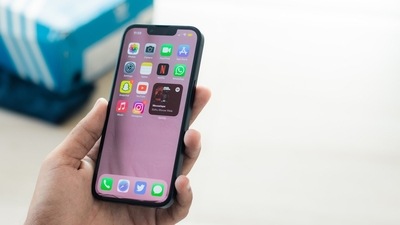
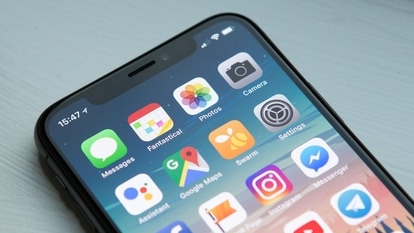
In October 2023, several notable personalities, including members of the Opposition party alliance, the Indian National Developmental Inclusive Alliance (INDIA), as well as journalists received a notification on their Apple iPhones. The device warned them of "state-sponsored attackers trying to remotely compromise” their Apple iPhones. These alerts raised an alarm among leaders as they posted screenshots of the same on their X accounts, seeking clarification for the same from the government. It caused the NDA government to also raise a query with the iPhone maker to share all the details about these alerts. Now, it has been revealed that the officials actually took action against Apple, according to a new report. Know all about it.
Govt action against Apple
According to a Washington Post report, officials demanded that the Cupertino-based tech giant soften the political impact of the alerts. The government reportedly also summoned an Apple security expert to a meeting and insisted they offer proxy explanations to the users regarding the alerts.
You may be interested in


-
 Black
Black - 6 GB RAM
- 512 GB Storage

 20% OFF








“The visiting Apple official stood by the company's warnings. But the intensity of the Indian government effort to discredit and strong-arm Apple disturbed executives at the company's headquarters”, the report said.
The alert - Who received it?
The leaders who received the alert include Congress leaders Shashi Tharoor, Pawan Khera and Supriya Shrinate, the Samajwadi Party's Akhilesh Yadav, the Shiv Sena's Priyanka Chaturvedi, the CPI(M)'s Sitaram Yechury, the Trinamool Congress's Mahua Moitra, the Aam Aadmi Party's Raghav Chadha, and the All India Majlis-E-Ittehadul Muslimeen's Asaduddin Owaisi. Interestingly, the same alert was sent to other high-profile officials in 150 other countries too on the same day.
Amid the commotion, Apple issued a statement on the issue. It said, “Apple does not attribute the threat notification to any specific state-sponsored attacker”. It also said that the attackers were very well-funded and sophisticated and that their attacks evolved over time.
“Detecting such attacks relies on threat intelligence signals that are often imperfect and incomplete. It's possible that some Apple threat notifications may be false alarms, or that some attacks are not detected”, it added.
Catch all the Latest Tech News, Mobile News, Laptop News, Gaming news, Wearables News , How To News, also keep up with us on Whatsapp channel,Twitter, Facebook, Google News, and Instagram. For our latest videos, subscribe to our YouTube channel.



 Follow our Page
 Follow our Page
 Follow our Channel